
2025-12-30-cs50_ch9Flask_pset
##CS50: Chapter 9 — Flask
Problem 1 Birthdays- Complete the code to create a website where birthdays can be added using a form and stored in a birthdays database using SQL. The webapp is served using Flask and coded using python, Jinja, and HTML. Added additional button for removing entries from database based on implementation during lecture.
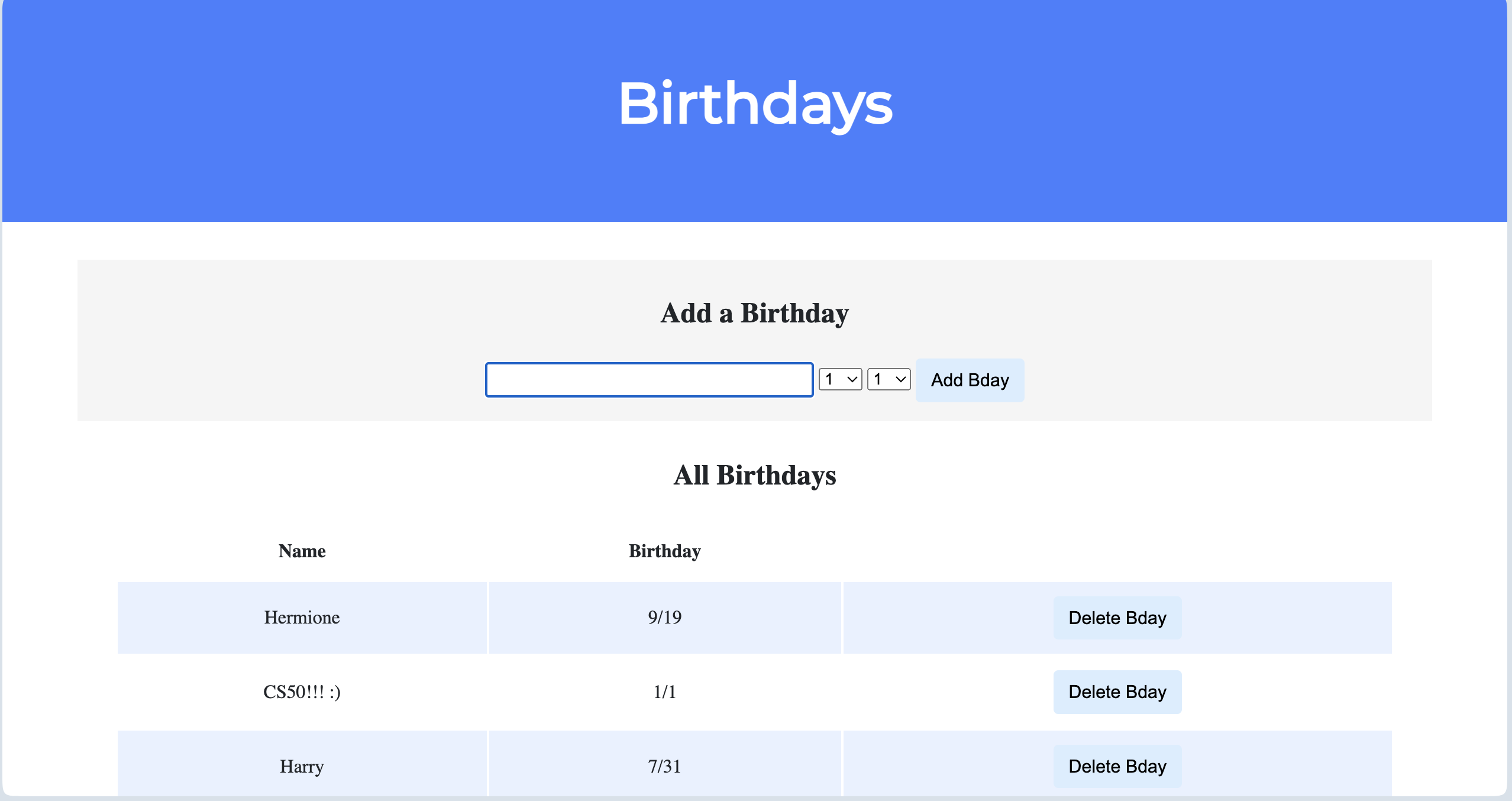
<!DOCTYPE html>

<html lang="en">
    <head>
        <link href="https://fonts.googleapis.com/css2?family=Montserrat:wght@500&display=swap" rel="stylesheet">
        <link href="/static/styles.css" rel="stylesheet">
        <title>Birthdays</title>
    </head>
    <body>
        <div class="header">
            <h1>Birthdays</h1>
        </div>
        <div class="container">
            <div class="section">

                <h2>Add a Birthday</h2>
                <!-- TODO: Create a form for users to submit a name, a month, and a day -->
                 <form action="/" method="post">
                    <input autocomplete="off" autofocus name="name" placeholder="Name" type="text">
                    <select name="month">

                    </select>
                    <select name="day">

                    </select>
                    <button type="submit">Add Bday</button>
                 </form>
            </div>

            <div class="section">

                <h2>All Birthdays</h2>
                <table>
                    <thead>
                        <tr>
                            <th>Name</th>
                            <th>Birthday</th>
                        </tr>
                    </thead>
                    <tbody>
                        <!-- TODO: Loop through the database entries to display them in this table -->

                    </tbody>
                </table>
            </div>
        </div>
    </body>
</html>
import os

from cs50 import SQL
from flask import Flask, flash, jsonify, redirect, render_template, request, session

# Configure application
app = Flask(__name__)

# Ensure templates are auto-reloaded
app.config["TEMPLATES_AUTO_RELOAD"] = True

# Configure CS50 Library to use SQLite database
db = SQL("sqlite:///birthdays.db")

#addying list of days and months for user to choose
MONTHS = [str(i) for i in range(1, 13)]
DAYS = [str(i) for i in range(1, 32)]

@app.after_request
def after_request(response):
    """Ensure responses aren't cached"""
    response.headers["Cache-Control"] = "no-cache, no-store, must-revalidate"
    response.headers["Expires"] = 0
    response.headers["Pragma"] = "no-cache"
    return response


@app.route("/", methods=["GET", "POST"])
def index():
    if request.method == "POST":

        # TODO: Add the user's entry into the database
        name = request.form.get("name")
        month = request.form.get("month")
        day = request.form.get("day")
        db.execute(
            "INSERT INTO birthdays (name, month, day) VALUES ( ?, ?, ?)",
            name, month, day)

        return redirect("/")

    else:

        # TODO: Display the entries in the database on index.html
        birthdays = db.execute("SELECT * FROM birthdays")
        return render_template("index.html", months=MONTHS, days=DAYS, birthdays=birthdays)